README
- 如果想快速搭建好环境,不关心具体的安装过程
直接复制文章后面的【脚本附录】,以root用户在任意目录下执行该脚本
它会帮助你完成安装java11、ubuntu换源、sbt换源、下载sbt,执行完以后是这样的:

然后从安装步骤的【第9步】开始测试scala和chisel是否能正常使用即可
- 如果想从头逐步安装,从【安装步骤】第一步开始看即可
安装步骤
首先安装一个Ubuntu的虚拟机
然后给Ubuntu换个镜像,方便下载
注意换源后使用apt-get update更新下
安装vim(可以不做)
这里安装Vim是我感觉Ubuntu自带的vi编辑器似乎有问题,因为我按i进入【插入模式】并没有提示,所以安装vim进行替代。
只关心Chisel安装的可以跳过这一步。
1
2
3
4
5
6
7
8
9
10
11
12
| apt install vim
sudo vim /etc/vim/vimrc
set number
set autoindent
set cursorline
set ruler
set tabstop=4
|
- 安装JDK
注意,在此之前先换源,参考文章
此外,文章中apt换源使用的是bionic,这个参数需要根据lsb_release -c查看发行版本的结果来定
如果lsb_release -c的结果是其他的,例如jammy,就要把所有bionic换成jammy
如果在apt换源时报错:
The following signatures couldn’t be verified because the public key
is not available
执行
sudo apt-key adv –keyserver keyserver.ubuntu.com –recv-keys [报错最后给出的key]
例如:5523BAEEB01FA116
1
| sudo apt-get install default-jdk
|
安装完成后使用java -version测试结果为:

- 安装sbt构建工具
sbt是Scala的构建工具,类似C的Make和Java的Maven,都是依赖管理工具。
1
2
3
4
5
6
7
8
| echo "deb https://repo.scala-sbt.org/scalasbt/debian all main" | sudo tee /etc/apt/sources.list.d/sbt.list
echo "deb https://repo.scala-sbt.org/scalasbt/debian /" | sudo tee /etc/apt/sources.list.d/sbt_old.list
apt-get purge libcurl4
apt-get install curl
curl -sL "https://keyserver.ubuntu.com/pks/lookup?op=get&search=0x2EE0EA64E40A89B84B2DF73499E82A75642AC823" | sudo apt-key add
sudo apt-get update
sudo apt-get install sbt
|
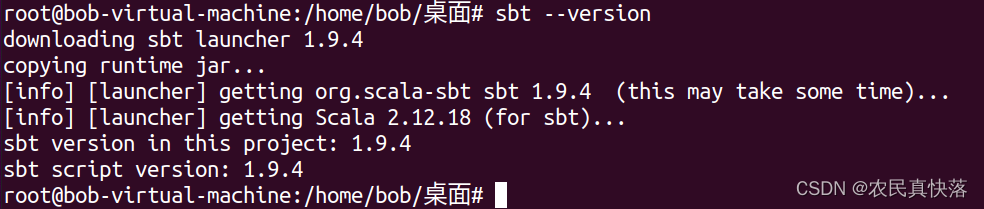
安装完成后使用sbt --version查看版本:
- 修改sbt源
默认sbt是使用maven官方库解决依赖,这里修改它的源。
sbt解决依赖时会自动加载~/.sbt目录下的repositories文件。
在.sbt目录下创建一个名为repositories的文件,不用后缀
1
2
3
4
| [repositories]
local
aliyun: https://maven.aliyun.com/repository/central/
sbt-plugin-repo: https://repo.scala-sbt.org/scalasbt/sbt-plugin-releases, [organization]/[module]/(scala_[scalaVersion]/)(sbt_[sbtVersion]/)[revision]/[type]s/[artifact](-[classifier]).[ext]
|
然后在/usr/share/sbt/conf/sbtopts
文件的最后添加-Dsbt.override.build.repos=true
- 安装VS Code并配置插件
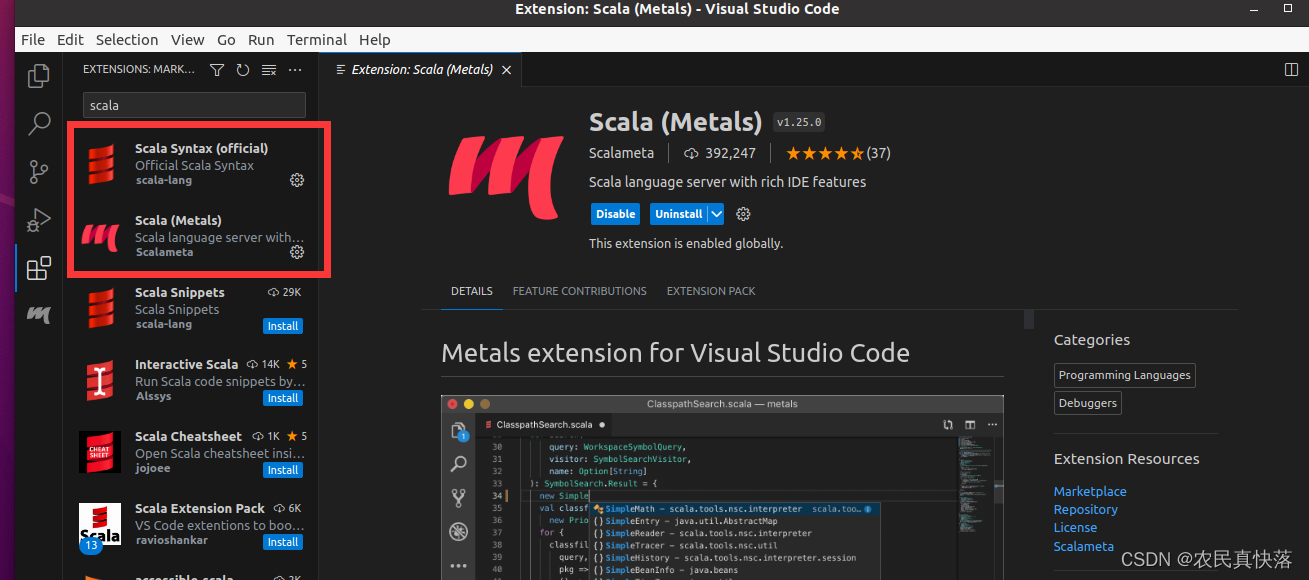
首先在软件商店中安装VS Code,打开VS Code,在View->extensions中安装Scala(Syntax)和Scala(Metals)
- 安装make
- Scala的HelloWorld测试
新建HelloScala.scala
输入:
1
2
3
4
5
| object HelloScala{
def main(args:Array[String]):Unit={
println("helloscala")
}
}
|
使用sbt run进行构建,会输出helloworld

- 测试Chisel
1
2
3
4
| git clone https://github.com/schoeberl/chisel-examples.git
cd chisel-examples/hello-world
make
sbt test
|
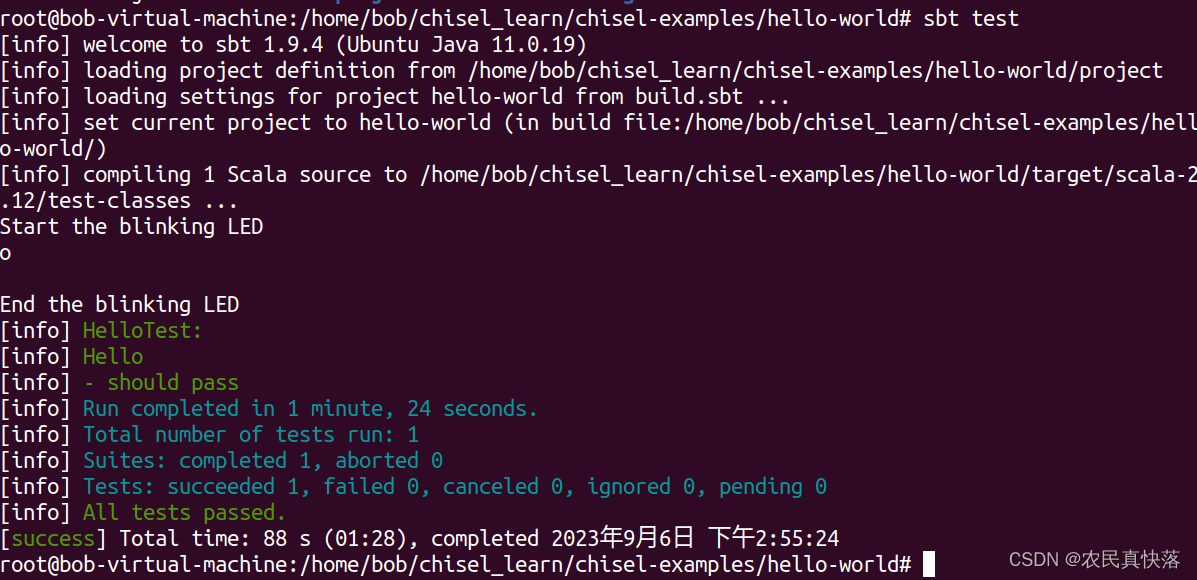
测试成功:
脚本附录
该脚本完成了更改Ubuntu下载源、java11安装、更改sbt下载源、下载sbt
1
2
3
4
5
6
7
8
9
10
11
12
13
14
15
16
17
18
19
20
21
22
23
24
25
26
27
28
29
30
31
32
33
34
35
36
37
38
39
40
41
42
43
44
45
46
47
48
|
sudo cp /etc/apt/sources.list /etc/apt/sources.list.backup
echo "deb http://mirrors.aliyun.com/ubuntu/ bionic main restricted universe multiverse
deb-src http://mirrors.aliyun.com/ubuntu/ bionic main restricted universe multiverse
deb http://mirrors.aliyun.com/ubuntu/ bionic-security main restricted universe multiverse
deb-src http://mirrors.aliyun.com/ubuntu/ bionic-security main restricted universe multiverse
deb http://mirrors.aliyun.com/ubuntu/ bionic-updates main restricted universe multiverse
deb-src http://mirrors.aliyun.com/ubuntu/ bionic-updates main restricted universe multiverse
deb http://mirrors.aliyun.com/ubuntu/ bionic-proposed main restricted universe multiverse
deb-src http://mirrors.aliyun.com/ubuntu/ bionic-proposed main restricted universe multiverse
deb http://mirrors.aliyun.com/ubuntu/ bionic-backports main restricted universe multiverse
deb-src http://mirrors.aliyun.com/ubuntu/ bionic-backports main restricted universe multiverse" > /etc/apt/sources.list
sudo apt-get -qq update
sudo apt-get install -yqq default-jdk
java -version
echo "deb https://repo.scala-sbt.org/scalasbt/debian all main" | sudo tee /etc/apt/sources.list.d/sbt.list
echo "deb https://repo.scala-sbt.org/scalasbt/debian /" | sudo tee /etc/apt/sources.list.d/sbt_old.list
sudo apt-get -qq purge libcurl4
sudo apt-get -qq install curl
curl -sL "https://keyserver.ubuntu.com/pks/lookup?op=get&search=0x2EE0EA64E40A89B84B2DF73499E82A75642AC823" | sudo apt-key add
sudo apt-get -qq update
sudo apt-get -qq install sbt
mkdir ~/.sbt
cd ~/.sbt
echo "[repositories]
local
aliyun: https://maven.aliyun.com/repository/central/
sbt-plugin-repo: https://repo.scala-sbt.org/scalasbt/sbt-plugin-releases, [organization]/[module]/(scala_[scalaVersion]/)(sbt_[sbtVersion]/)[revision]/[type]s/[artifact](-[classifier]).[ext]" > repositories
echo "-Dsbt.override.build.repos=true" >> /usr/share/sbt/conf/sbtopts
sudo apt install -yqq make
sbt --version
|